Vendor Compliance Documents: From Collection to Renewal and Audit
Manage ISO certificates, insurance, licences, assessments, and declarations with evidence, review decisions, and a reliable history.
Published
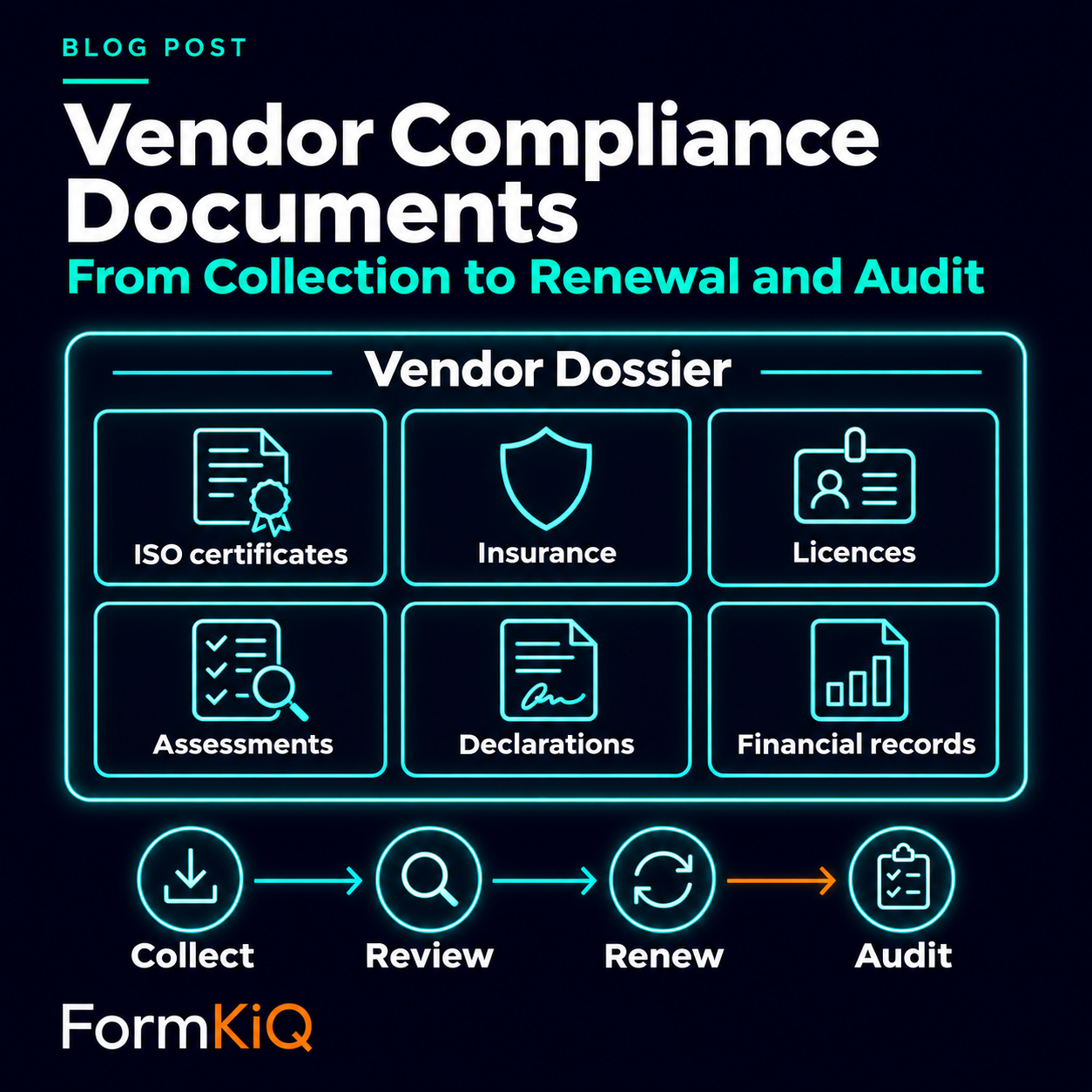
A vendor file may contain an ISO certificate, insurance evidence, a business licence, a security assessment, and a tax declaration. Having those files does not establish that they cover the right legal entity, service, location, or period. Procurement needs to know which requirements each document satisfies, who reviewed it, and when fresh evidence is needed.
Vendor documentation becomes a governance problem when the organization manages hundreds or thousands of suppliers across different services, jurisdictions, and risk levels. The solution is not more reminders. It is a structured lifecycle that connects each required document to the vendor, the requirement, the review, and the business consequence.
- 01 · Requirements
Define the rule
Document type, vendor category, dates, reviewer and exception authority.
- 02 · Review
Validate the evidence
Extract fields, check the source and approve or route uncertainty.
- 03 · Lifecycle
Monitor and renew
Track expiry, review dates and material changes; preserve decisions and notify the authoritative business system.
One vendor file, different kinds of evidence
Use a document-specific requirement and review policy. The examples below are design considerations, not a universal compliance schedule.
- Document type
ISO management-system certificates
ReviewExamples include ISO 9001 and ISO/IEC 27001 certificates. Check the named entity, standard, certification body, scope, covered sites, validity and current status.
Refresh triggerCertificate expiry, a status change, or a change in the supplied service or location.
- Document type
Insurance documents
ReviewCheck the insured entity, coverage type, limits, policy period and required endorsements.
Refresh triggerPolicy expiry, cancellation or a change in the work or coverage requirement.
- Document type
Business and professional licences
ReviewMatch the licensed entity, authorized activity and jurisdiction to the contracted work.
Refresh triggerLicence expiry, suspension, or a change in jurisdiction or service.
- Document type
Security assessments and attestations
ReviewRecord the systems or services assessed, evidence period, findings, review decision and unresolved actions.
Refresh triggerA policy-defined review date, material system change or security event; do not invent an expiry date for a report.
- Document type
Tax forms and declarations
ReviewIdentify the applicable form, legal entity, jurisdiction and information represented.
Refresh triggerA change in the represented information or the refresh requirement set for that form; do not assume annual expiry.
- Document type
Financial statements and other due-diligence records
ReviewTrack the reporting period, entity, reviewer and conclusions relevant to the vendor’s risk assessment.
Refresh triggerThe next reporting cycle, a risk-based review date or a material change in the vendor’s circumstances.
For an ISO certificate, confirm that it covers the vendor, service, and sites relevant to your purchase. Check its current status with the certification body that issued it or a suitable verification service. ISO publishes the standards but does not issue certificates; its certification guidance explains how to verify them.
If your procurement policy requires an accredited certification body, check that separately. Accreditation concerns the body issuing the certificate; it does not establish that the vendor’s certificate covers your requirements.
Separate three reasons to request fresh evidence
- 1 · Expiry
The stated validity period ends
Use the document’s applicable expiry date and agreed time convention. Request a replacement and apply the policy for any coverage gap.
- 2 · Scheduled review
The organization needs a new assessment
Use a separate next-review date. An overdue review is a review-control exception; it does not automatically mean the underlying document has expired.
- 3 · Material change
The evidence may no longer fit
A new legal entity, service, site, ownership structure or relevant incident can trigger reassessment before either date arrives.
Model the requirement before collecting the file
A vendor may need to provide ISO certificates, insurance, licenses, tax forms, safety certifications, security attestations, sanctions declarations, diversity documentation, or financial information. The requirement should define:
- which vendor categories and jurisdictions it applies to;
- the acceptable document type and issuing authority;
- the required entity, scope, sites, coverage, reporting period, dates and reference identifiers;
- whether it has a stated expiry, a scheduled review date, change-triggered refresh rules, or a combination;
- who reviews it and within what time;
- whether an exception is allowed and who can approve it;
- what happens when evidence is missing, rejected, expired, outside scope, or overdue for review.
Without that model, the repository can confirm that a file exists but not that the requirement is satisfied.
Organize the vendor compliance file as a Dossier
In FormKiQ, a Vendor Dossier brings the compliance documents together as one linked file. It connects ISO certificates, insurance evidence, assessments, declarations, and other records to the supplier they support. Procurement can review the file as a whole while retaining the identity and history of each document.
The supplier entity is the reusable business record for details such as the ERP vendor ID, legal name, category, jurisdiction, and responsible owner. The Dossier links the documents to that record; the configured Business Solution manages the requirements, review tasks, reminders, and qualification decisions.
Each document keeps its own type, scope, effective or reporting period, expiry date where applicable, next-review date, review state, and version history. A complete Dossier does not by itself mean the vendor is approved: document validity, evidence completeness, and the organization’s acceptance decision remain separate.
This makes questions answerable across the collection:
- Which active vendors have insurance expiring within 60 days?
- Which ISO certificates do not cover the site or service we are buying?
- Which high-risk vendors have overdue security-assessment reviews?
- Which documents are awaiting review beyond the service target?
- Which vendors are operating under an approved exception?
- Which certificates were replaced after a legal-name change?
Separate extraction from validation
OCR and AI can extract fields selected for the document type: standard and scope from an ISO certificate, insurer and coverage limits from insurance evidence, or reporting period and findings from an assessment. Extraction reduces data entry. It does not prove that the document is genuine or adequate.
Validation rules can compare extracted values to the requirement. Examples include:
- a document with stated validity must cover the period required by the purchasing policy;
- the named entity must match the vendor or an explicitly approved contracting arrangement;
- the stated scope, service and sites must meet the requirement, including on ISO certificates;
- insurance coverage must meet the required threshold where insurance is required;
- the issuer and any required accreditation must satisfy the document-specific policy;
- the certificate number must match an expected format;
- required insurance endorsements or assessment follow-up evidence must be present, as applicable.
Failed or uncertain checks should route to a reviewer with the source document and the specific reason for review. The reviewer should be able to correct extracted values without overwriting the original output silently.
Calculate reminders from policy
Hard-coded “30 days before expiry” reminders break down when requirements differ. A policy-driven design can support multiple notices, such as 90, 60, 30, and 7 days, with different recipients and escalation paths.
Create separate reminder streams for stated expiry and scheduled review, with change-triggered tasks when needed. Recalculate them when relevant dates, requirements or approved evidence change. Notifications for the old version should be cancelled or closed. Otherwise, users receive conflicting requests and stop trusting the system.
Useful recipients may include the vendor contact, internal vendor owner, procurement, risk, and accounts payable. Avoid notifying everyone at every stage. Escalate based on time, risk, and business impact.
Expiry, overdue review, and scope changes are decision points
When evidence expires, a review becomes overdue, or a scope mismatch is found, record the specific condition and apply the organization’s policy. The consequences may differ by requirement and risk level. Possible actions include:
- mark the requirement expired, pending review, or not satisfied, with the reason;
- open a task for the vendor owner;
- notify procurement or risk;
- place the vendor under a time-limited exception;
- suspend new purchase orders or onboarding;
- send a status event to the ERP or vendor-management system.
The document platform may not have authority to suspend the vendor directly. It should produce a clear event and evidence package that the authoritative business system can use.
Preserve the historical answer
An audit may ask whether a vendor was compliant on the date work was performed, not whether it is compliant today. Replacing a certificate, assessment, or declaration should not erase the historical record or the scope of the earlier acceptance decision.
Keep versions, effective dates, approval decisions, exceptions, and notifications. Record the reviewer, timestamp, validation results, and source values. The organization should be able to reconstruct the vendor's status at a past point in time.
Measure the control, not the upload volume
Useful operational measures include:
- percentage of active vendors with all required current documents;
- documents expiring in 30, 60, and 90 days, tracked separately from scheduled reviews;
- open scope mismatches and unresolved material-change reviews;
- median review time and overdue review count;
- rejection reasons and resubmission rate;
- number and age of active exceptions;
- vendors active after a mandatory requirement expired;
- percentage of extracted fields corrected by reviewers.
These measures show whether the process reduces risk and workload. A count of uploaded documents does not.
How FormKiQ supports the lifecycle
FormKiQ’s Vendor and Supplier Document Management solution can link a supplier entity to a Vendor Dossier, apply schemas to the linked document types, extract and validate metadata, route reviews, schedule reminders, preserve versions, and publish events to ERP or procurement systems. The same repository can retain approved compliance documents and the evidence showing how they were evaluated. This is a configured Business Solution, not a promise that FormKiQ Core automatically supplies every review, reminder or ERP rule. Agree the edition/modules, issuer-verification process, exception authority, business time zone and end-of-day expiry convention. Test replacement approval, cancellation of old reminders and failed ERP updates.
The result is a vendor-document control that remains useful beyond onboarding. It supports renewals, changing requirements, audits, exceptions, and integration with the systems that govern vendor status and purchasing.
ISO example: a valid certificate covers the wrong site
Illustrative review scenario, not a reported incident or measured FormKiQ result.
- Step 1
The supplier adds a new service location
Governed responseOpen a change-triggered review of the ISO certificate against the new contracted service and site, even though its printed expiry date is in the future.
EvidenceVendor and site identifiers, requirement version, change notification and exact certificate version.
- Step 2
The submitted scope does not establish coverage of the new site
Governed responseKeep the new-site requirement pending. Request applicable scope evidence and verify it through the appropriate certification source. Escalate any proposed exception to the authorized risk owner.
EvidenceScope assessment, verification source and date, reviewer, supplier request and any time-limited exception decision.
- Step 3
The reviewer accepts evidence for the new scope
Governed responseRecord the accepted scope and effective date, set the next review under policy, and send the resulting status to procurement. Preserve the earlier gap in evidence.
EvidenceAccepted document version, review rationale, scope and site mapping, status history and procurement acknowledgement.
Insurance example: a replacement certificate arrives late
Illustrative design exercise, not a reported incident or measured FormKiQ result.
- Step 1
Vendor V-204 has an insurance certificate expiring November 30
Governed responseCreate renewal tasks at configured policy intervals
EvidenceRequirement version, certificate ID, expiry date and reminder recipients.
- Step 2
A replacement arrives November 29 with a legal-name mismatch
Governed responseKeep it pending review; do not mark the requirement satisfied or cancel outstanding escalation
EvidenceOriginal extraction, mismatch reason, source document and reviewer assignment.
- Step 3
The current certificate expires before review completes
Governed responseMark the requirement expired and send a status event to procurement; any exception requires an authorized owner and end date
EvidenceEffective status time, exception decision and ERP acknowledgement.
- Step 4
A corrected certificate is approved December 2
Governed responseClose the old renewal tasks, publish the new status and preserve the gap
EvidenceApproved version, reviewer, effective dates and historical status; do not rewrite the gap as continuous coverage.
Turn vendor evidence into an operational control
Explore FormKiQ's Vendor and Supplier Document Management solution, AI Processing and Analysis module, and Integration Frameworks.
Talk to FormKiQ about document requirements, expiry and review policies, change triggers, and ERP synchronization.