ERP Integration Without the Document Silo: An Event-Driven Pattern for Finance and Procurement
Keep transactions in the ERP, governed documents in the document layer, and lifecycle state synchronized between them
Published
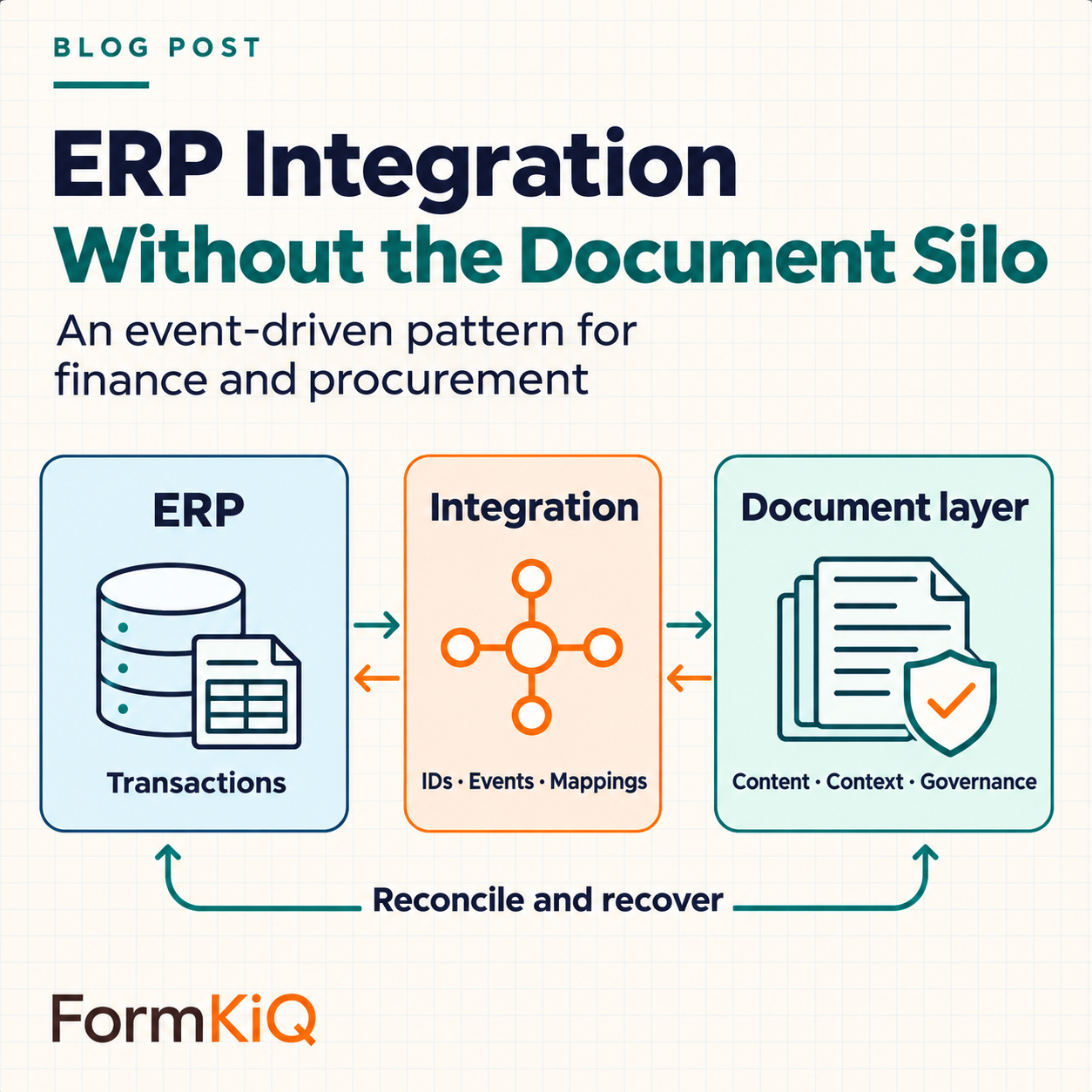
When multiple applications need the same governed records, separating transaction authority from document authority can reduce duplication and integration dependencies. An ERP’s native attachments may still be sufficient for a simple, contained workflow. A maintainable integration gives each system clear authority, then synchronizes the identifiers and lifecycle events that connect a transaction to its supporting records.
This pattern applies to purchase orders, invoices, vendor certificates, contracts, delivery records, asset documentation, and audit evidence. It is especially useful when multiple applications create or consume documents around the same financial process.
- 01 · ERP
Transaction authority
Vendor, invoice and purchasing records remain authoritative in the ERP.
- 02 · Integration
Explicit contract
Stable IDs, mappings, authorized events, retries and reconciliation connect the systems.
- 03 · Document layer
Governed records
Files, versions, metadata and lifecycle evidence stay linked to the business record.
Define system authority first
A typical division of responsibility is:
- Concern
Vendor, purchase order, invoice, payment, and asset master data
Authoritative systemERP
- Concern
Document binary, versions, renditions, and checksums
Authoritative systemDocument platform
- Concern
Document metadata, classification, retention, and legal hold
Authoritative systemDocument platform, with selected values synchronized from ERP
- Concern
Transaction approval
Authoritative systemERP or designated workflow system
- Concern
Document review, publication, and records disposition
Authoritative systemDocument platform
- Concern
User identity and groups
Authoritative systemEnterprise identity provider
If authority is not explicit, bidirectional synchronization can create loops and disputes. The ERP updates a vendor name, the document platform writes back an older value, and neither team knows which result is correct.
Use stable business identifiers
A document should carry both its repository identifier and the relevant ERP identifiers. Examples include vendor ID, company code, purchase order number, invoice ID, asset ID, fiscal period, and transaction type.
Do not rely on file paths as the primary integration key. Paths change when users reorganize content or business structures evolve. Stable identifiers allow the ERP to retrieve the current document even if its display name, path, or version has changed.
FormKiQ attributes and entities can represent these identifiers and relationships. A vendor entity can relate to certificates, contracts, insurance records, tax forms, and invoices without duplicating the vendor master.
Map metadata as a contract
Metadata mapping should be versioned and reviewed like an API. For each field, document:
- source and destination field names;
- data type, format, and allowed values;
- authoritative system;
- required or optional status;
- transformation and localization rules;
- behavior when a value is missing or invalid;
- whether historical changes must be preserved;
- the mapping version that produced the stored value.
This prevents a common integration failure: a field that appears simple in a workshop but represents different business concepts in the two systems.
Exchange events, not assumptions
An event-driven integration can respond to changes without tightly coupling the systems. Useful events include:
- vendor created or status changed;
- purchase order approved;
- invoice received or matched;
- supporting document uploaded;
- document classification completed;
- review approved or rejected;
- certificate approaching expiry;
- record placed on hold or disposed.
For this proposed integration contract—not a claim about a native FormKiQ event schema—each event should contain an event ID, event type, schema version, occurrence time, source system, business identifiers, and a link or identifier for retrieving the current record. Avoid placing sensitive document content in the event itself.
Design for duplicates and out-of-order delivery
Distributed systems deliver messages more than once, and retries can arrive after later events. Consumers should be idempotent. Record processed event IDs, compare per-record version or sequence information, and make repeated operations safe. A check followed by an unrelated write is not enough: use an atomic update or a recoverable processing state machine. Where a database update and event publication cannot be atomic, use an outbox or equivalent reconciliation mechanism.
For example, “attach document X to purchase order Y” should produce one relationship even if the event is received three times. “Set status to approved” should not overwrite a later cancellation because an old message was delayed.
Use dead-letter handling for events that repeatedly fail. The exception record should preserve the original event, error, retry history, business identifiers, and assigned owner. Alert on dead-letter age and volume; define authorized replay, retention, and handling of already-applied side effects. Silent drops create audit gaps and incomplete records.
Keep user access in context
Users may access a document through the ERP interface while the file remains in the document platform. The integration should request a short-lived, policy-checked link or stream the content through an authorized service. Do not expose permanent storage URLs or use a shared service account to bypass user-level authorization.
The document platform should evaluate the user's identity, role, attributes, and business context. The audit trail should distinguish the person performing the action from the integration service acting on their behalf.
Reconcile, even when events work
Events provide low-latency synchronization, but periodic reconciliation detects missed messages, mapping defects, and manual changes. Compare counts and identifiers for a defined period, then report:
- ERP transactions missing required documents;
- documents with unknown ERP identifiers;
- status disagreements;
- orphaned relationships;
- expired documents still marked valid;
- events in a failed or unprocessed state.
Reconciliation is not an admission that the event architecture failed. It is the control that proves the integration remains complete.
An integration framework makes the pattern repeatable
A one-off point-to-point integration often embeds mappings, retries, and business rules in custom code that only one team understands. FormKiQ Integration Frameworks define metadata mappings, event flows, authorization behavior, lifecycle synchronization, and exception handling as reusable integration assets.
That structure is useful when an organization has multiple ERP instances, regions, business units, or document processes. The systems remain independently maintainable, while the integration contract is explicit and testable. Confirm the exact ERP/version, supported endpoints, adapter work, mappings, event transport, rate limits and operational ownership. The public framework description does not establish a turnkey connector for every ERP. AWS documents why SQS standard-queue consumers must handle repeat delivery.
Failure walkthrough: the same invoice event arrives three times
Illustrative design exercise, not a reported incident or measured FormKiQ result.
- Step 1
ERP invoice INV-782 emits event evt-104 with sequence 7
Consumer responseValidate the event schema, source and company/invoice IDs; fetch the authorized document
ProofMapping version, correlation ID and document ID.
- Step 2
evt-104 is delivered again after a timeout
Consumer responseAtomically record processing state with the business update, or use a recoverable state machine; do not rely on a check-then-write race
ProofOne relationship and one completion record; incomplete attempts remain recoverable.
- Step 3
A cancellation with sequence 8 arrives before a delayed sequence 7
Consumer responseReject the stale transition using per-record sequence/version rules
ProofRecorded cancellation and stale-event outcome.
- Step 4
A malformed mapping repeatedly fails
Consumer responseMove it to controlled exception handling, alert the owner and reconcile before replay
ProofOriginal event, error, retry history and approved replay result.
Design a governed ERP document layer
Explore FormKiQ's Integration Frameworks, Vendor and Supplier Document Management solution, and Financial Application Management solution.
Talk to FormKiQ about ERP authority, mappings, events, and reconciliation requirements.