Prepare consistent documents from information your workflow already holds. FormKiQ Document Generation combines templates and structured data to produce PDF or Word output for agreements, decision letters, notices, and correspondence.
Use it within a packaged Financial Application Management or Business Solution, or call the API from an existing application. The template, data mapping, review steps, and destination are configured for your process.
Explore a generation exampleFrom approved application to prepared agreement
- 1 · Select the inputs
Reuse approved information
Take the applicant, equipment, reference, and term from the application record or a connected system. Choose the template for that document type.
Result: a defined template and data source for this output.
- 2 · Generate the document
Apply a repeatable format
Populate the template fields and conditional content. Choose PDF for distribution or DOCX where further editing is part of the process.
Result: a generated document that uses the selected wording, layout, and data.
- 3 · Continue the workflow
Review, sign, and retain
Store the output with the application and configure the next review or signature step. Keep the resulting agreement connected to its supporting records.
Result: a document that remains part of the governed business file.
Illustrative example · fictional application data
See how application data fills a template
Change the applicant or equipment to see the corresponding fields in the summary. This browser preview illustrates field substitution; the Document Generation module produces the DOCX or PDF in your deployment.
Application data
Reference: DEMO-1042
Term: 24 months
Decision: approved for agreement preparation
Inspect the template fields
Application: ${application.reference}
Applicant: ${application.applicant}
Equipment: ${application.equipment}
Term: ${application.termMonths} months
Agreement preparation summary
Fictional example only
- Application
- DEMO-1042
- Applicant
- Sample Orchard Company
- Equipment
- Packaging workstation
- Term
- 24 months
- Decision
- Approved for agreement preparation
Next step: review the approved agreement template and prepare the signing workflow.
Inspect an actual generated document
The sample below was generated from the Word template and fictional JSON data using FormKiQ's document-generation service. The downloads use the original sample values; editing this browser preview does not change them.
Download generated summary (DOCX) · Download source template (DOCX) · Download fictional JSON data
Preview the generated Word document
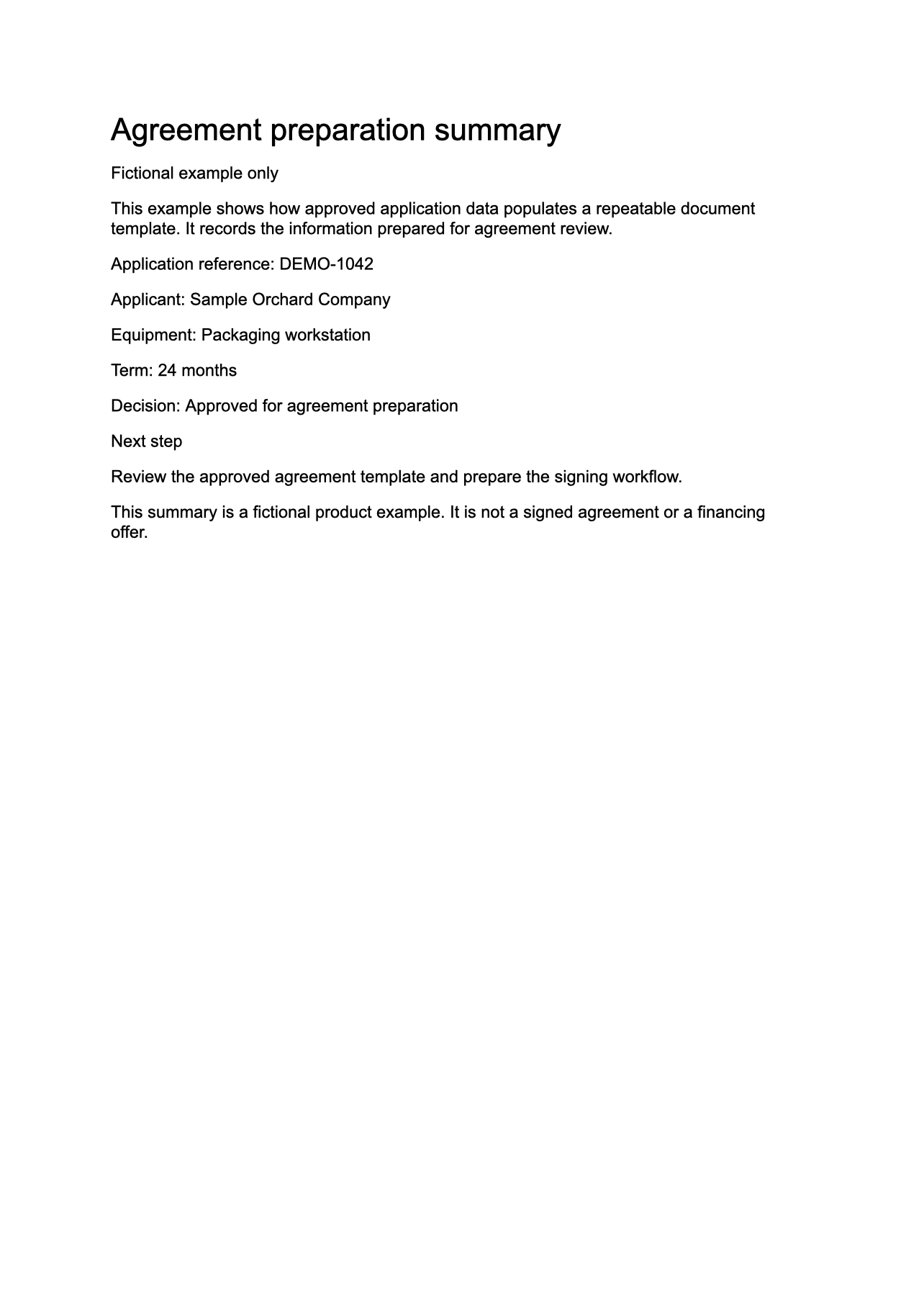
The summary demonstrates template population. It is not a signed agreement or a financing offer.
What is included in the implementation
| Component | How it is supplied |
|---|---|
| Generation capability | A commercial add-on for FormKiQ Advanced or Enterprise, with PDF and DOCX output and an API for generation requests. |
| Templates and data | Your approved wording and layout, mapped to application data, JSON sources, or document attributes. Template preparation and data mapping are part of solution configuration. |
| Application experience | A packaged Business Solution can provide the business workflow; APIs also let an existing application initiate document generation. |
| Signing and other stages | Review workflows, eSignature Integration, and external-system connections are scoped separately. Generation alone does not execute an agreement. |
| Commercial components | Base platform license, selected modules, implementation, and AWS usage. Review pricing and editions. |
When it is a strong fit
Your process produces repeatable documents from controlled data, and the output needs to remain connected to reviews, agreements, metadata, and retention. It is particularly useful where ownership and integration requirements favour a customer-managed AWS deployment.
When another tool may fit better
A simple mail merge may be enough for occasional correspondence. A specialist loan-document provider may be a better fit when the main requirement is a maintained library of jurisdiction-specific legal forms. FormKiQ uses the templates and content selected for your implementation.
Inspect the implementation approach
The generation API accepts a template document, data-source references, output format, and destination. FreeMarker template expressions support variables, conditions, and repeated sections.
Template and data-source documentation · Generation API reference · Customer-managed deployment
Discuss your application-to-document workflow
Bring one representative template, the fields that populate it, and the review or signing steps that follow. We can map the packaged solution, module, and integration scope.
Book a document generation reviewAll modules · AI Processing and Analysis · Financial Application Management